
LEARN VISUALLY · Data foundations
Database indexes: faster lookups have a costInspect the plan before claiming a speedup
Compare a table scan and an indexed lookup using a reproducible SQLite query plan, while keeping storage, writes and result ordering in view.
Your lessons table grows, and finding one slug begins to feel slow. Someone suggests indexing every column. Before adding structures the database must maintain, identify the query, its result and the evidence you need.
Jump to a section
The big picture
Open full-size diagram ↗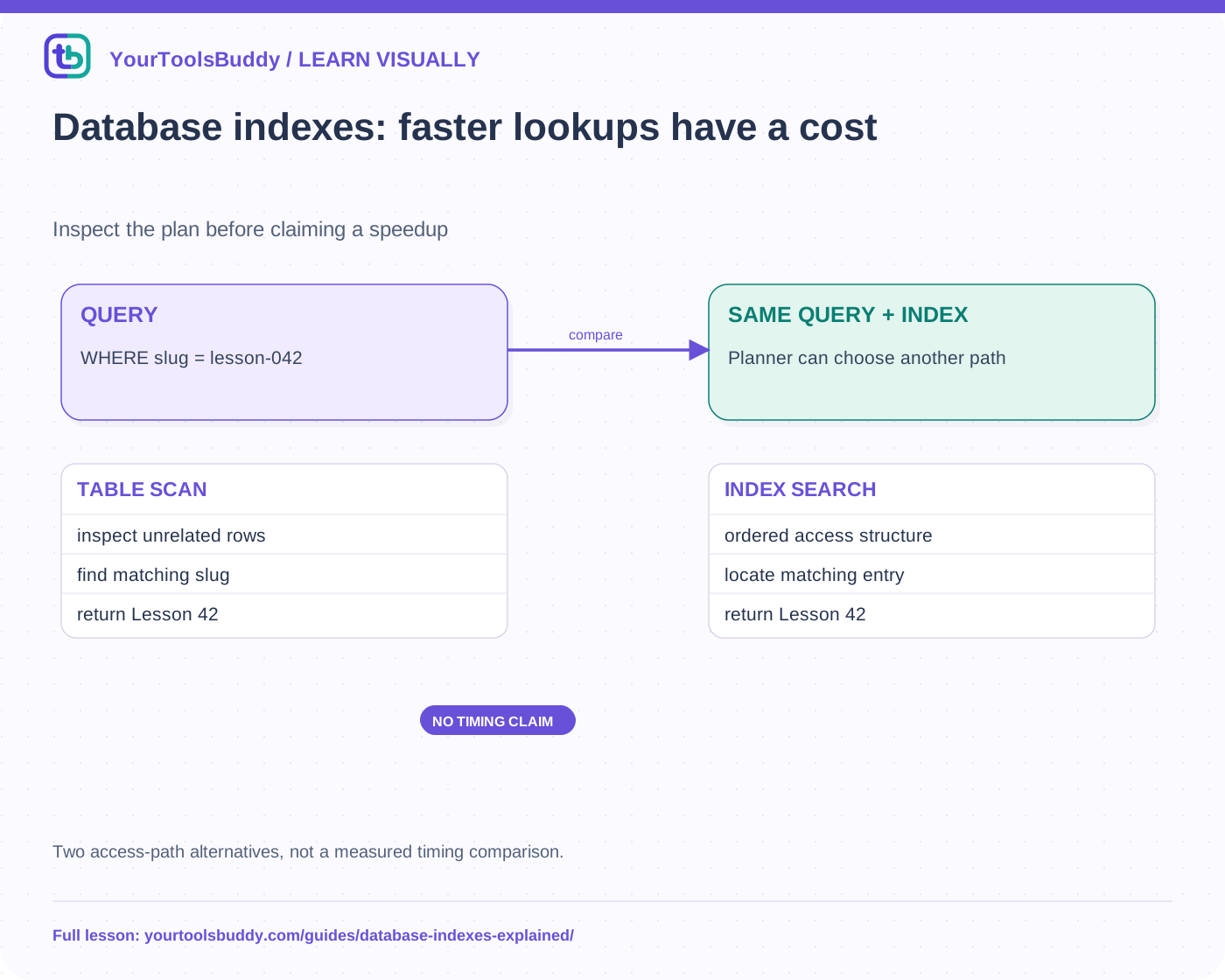
The diagram’s relationships are explained in the readable cards below. Open the full-size SVG to zoom.
Download branded diagram (SVG)Read the diagram
Two access-path alternatives, not a measured timing comparison.
Exact query
Find slug lesson-042
Before
Inspect table scan plan
After
Inspect selected index search
Trade-off
Extra structure and write work
Begin with one lookup
Our fictional lessons table stores id, slug and title. The query asks for the row whose slug is lesson-042. Without an appropriate access structure, the database can examine rows until it finds matching values. On a large table, repeatedly checking unrelated rows may be expensive. That observation is a reason to investigate an index, not proof that this is the bottleneck in every application.
First confirm the query returns the right row and that the application is actually issuing it. Network delay, repeated requests and rendering work can all make a screen slow. An index will not repair an incorrect predicate or a UI that downloads the same data repeatedly.
Think of a maintained route to the rows
An index stores an organized access structure associated with indexed values and the relevant table entries. Its exact layout depends on the engine and index type. A common ordered index can help locate a narrow range without treating every row as an equally likely candidate. It is not simply a second complete copy of every table field.
The database must keep that structure consistent as rows change. Additional indexes use storage and can add write work. “Index every column” therefore makes a trade-off without naming the queries it is meant to support. Choose an index for a demonstrated access pattern, then inspect both read and write consequences.
Inspect the executed local example
Our fixture inserts 200 synthetic lessons into an in-memory SQLite database with no slug index. It runs EXPLAIN QUERY PLAN for an exact slug lookup and records a scan. After creating a slug index, it records an index search and verifies that the returned title is unchanged. The saved evidence contains the actual plan text from the runtime used.
This shows that the planner selected a different access path in this small setup. It is not a latency benchmark, a PostgreSQL execution or evidence of a fixed percentage improvement. Tiny datasets, warm caches and different statistics can change planning decisions. A responsible performance claim needs representative workload measurements as well as a plausible plan.
The query must fit the index
An index on a slug is useful for a different question from an index on publication date. Multicolumn indexes introduce ordering and prefix considerations; expressions and collation can also matter. Do not assume that an index on two fields supplies two independent ideal indexes for every query involving either field.
Consider a query filtering a category and listing the newest lessons. Its best access pattern may differ from an exact slug lookup. Read the engine’s documentation, inspect the plan and test realistic data. Adding an index because a column appears in a SQL statement is not a complete design method.
Keep correctness separate from uniqueness and order
A normal index need not enforce uniqueness. If duplicate slugs are invalid, define the intended uniqueness constraint rather than assuming every index rejects duplicates. Likewise, an index does not entitle an application to rely on an accidental result order. Use an explicit ORDER BY with a suitable tie-break when order matters.
Our fixture adds another row with the same slug under a nonunique index and confirms that both matches remain possible. It then uses a separate table to demonstrate a unique constraint rejecting a duplicate. These are two different contracts. Choosing the wrong one can make a query fast while leaving a broken identifier model untouched.
Decide what evidence would justify the change
Record the exact query, expected rows, plan, data shape and measurement conditions. Compare repeated reads and representative writes, storage and maintenance costs. Keep a rollback plan if an index change is large or operationally sensitive. A locally successful CREATE INDEX statement is not proof that a large production build will be quick or harmless.
Limits
This is an introduction to access paths, not a catalogue of B-trees, hash indexes or storage engines. PostgreSQL’s documentation supports the broader concepts; SQLite supplies the executed teaching fixture. We do not infer production speed, concurrent locking behavior or the right index for a real service from this small experiment.
Work through the checked example
Input
200 rows; query slug=lesson-042; inspect EXPLAIN QUERY PLAN before/after creating an index
Expected result
SCAN lessons
SEARCH lessons USING INDEX lesson_slug (slug=?)
Returned title: Lesson 42
Nonunique duplicate: 2 rows
Unique duplicate: rejected
What if it fails?
Plan wording belongs to this SQLite version. No latency speedup measured.
Original synthetic teaching fixture. No remote connection or real account is used.
References
Sources used to check the explanations and examples are listed below.
Found a mistake? Send a correction with this lesson’s title, URL and disputed detail. No login needed.
Continue learning
SQL joins: explain every row in the result →
Pagination: why an item can appear twice—or vanish →
All visual lessons and practical guides →