
LEARN VISUALLY · Developer foundations
What happens when you run a Docker container?An image is a starting point, not your saved data
Separate images, containers, registries and volumes, then trace a small file-lifecycle model without mistaking it for a Docker installation test.
A note-taking app works until someone removes its container. The replacement starts, but the notes are gone. The missing distinction is between the application image, a container’s writable layer and storage that survives that container.
Jump to a section
The big picture
Open full-size diagram ↗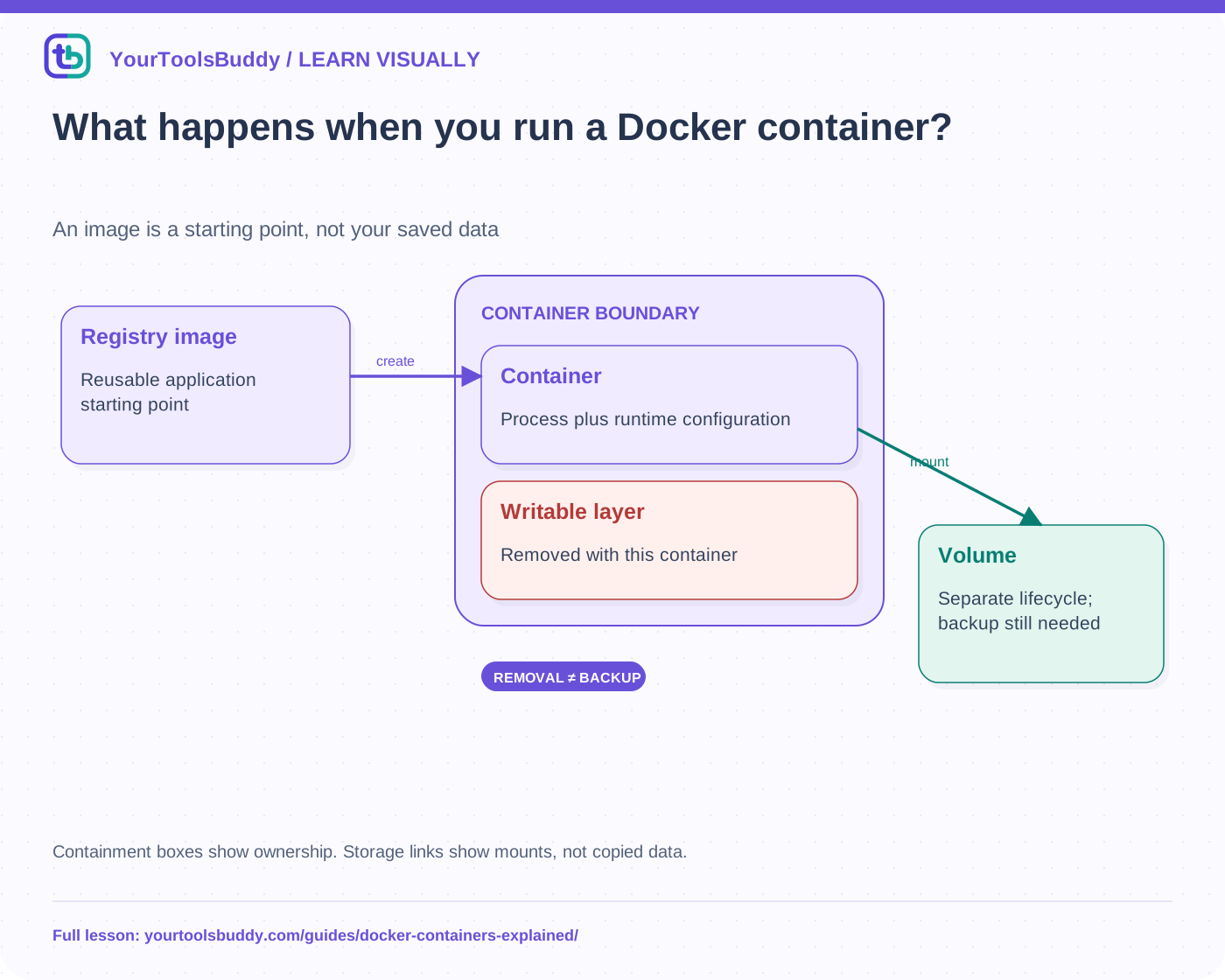
The diagram’s relationships are explained in the readable cards below. Open the full-size SVG to zoom.
Download branded diagram (SVG)Read the diagram
Containment boxes show ownership. Storage links show mounts, not copied data.
Registry image
Reusable application starting point
Container
Process plus runtime configuration
Writable layer
Removed with this container
Volume
Separate lifecycle; backup still needed
Name the objects before typing commands
An image packages the filesystem content and instructions used as a starting point. A container is a runnable instance created from an image plus configuration. A registry distributes images. These are different objects: deleting one container is not the same operation as removing its image from a registry, and pulling an image is not evidence that the application inside it has started successfully.
Docker’s client sends requests to a daemon that manages these objects. The client and daemon need not be on the same machine. Knowing which daemon you are targeting matters before any command that changes containers or storage. A command copied from a tutorial can affect a real remote environment if the context points there.
Follow a run from image to process
For a familiar local Linux-container example, the daemon checks the requested image, obtains it when needed, creates a container with runtime settings and starts its configured process. Settings such as environment variables, mounts, networking and command overrides influence the result. The image alone does not describe every property of the running service.
A running process is not automatically a healthy application. A server may start but listen on the wrong interface, lack a required configuration or fail to reach its database. Check application readiness and the intended user outcome. Do not equate an existing container, a running state and a successful request.
Understand the writable layer
Suppose a fictional container starts from an image containing welcome.txt. It writes notes.txt into its own writable filesystem. Stopping and starting that same container is different from removing it and creating a replacement. Removing the container removes that writable layer. Recreating from the unchanged image supplies welcome.txt again, not a magical recovery of the old notes.
Our local teaching model uses separate JavaScript objects for the image, writable layer and volume. Replacing one object is not a Docker command or filesystem isolation test. It is an executed way to make the lifecycle distinction visible without asking a beginner to install software or risk deleting real work.
Give important data a deliberate home
A named volume has a lifecycle separate from a particular container. In the scenario, the app writes saved notes to a mounted volume, and the replacement container mounts that same volume. It can then read the stored note. The application must actually use the mounted path; merely declaring a volume somewhere does not move arbitrary files into it.
Persistence is not backup. A volume can still be deleted, corrupted or made inaccessible. Multiple writers can create application-level conflicts, and a database needs a suitable backup procedure rather than an arbitrary copy of live files. Bind mounts are another storage option, with host paths and permissions that need separate consideration.
Separate networking from application behavior
Inside a container, a service port and its publication on the host are different decisions. A service can listen successfully without being reachable at the address a user tries. Conversely, publishing a port can expose a service more broadly than intended. Choose a documented interface and address, then test access from the intended location; do not disable protections to make a failing example appear successful.
Practice the replacement decision
The model starts with an image file, writes a temporary note to a container layer and a durable note to a separate volume object. After replacement, the image file and volume note remain; the temporary layer note does not. Predict the result before reading the fixture. Then change the replacement to mount a different empty volume: the original volume still exists, but this instance cannot see its note. Missing data is not always deleted data.
What to take into a real deployment
Document the image identity, configuration, storage mounts and health checks together. Keep secrets out of images and public configuration. Container isolation is useful but is not proof that arbitrary code is harmless; host access and privileged settings matter. This lesson does not run Docker, measure isolation or certify a backup. Use the official installation and platform guidance before applying the concepts to a real service.
Work through the checked example
Input
Replace a simulated container layer; keep the image and mounted volume objects
Expected result
Image welcome.txt: Hello
Old temporary.txt: absent
Same volume saved.txt: Keep this
Different empty volume: absent
What if it fails?
Plain objects model lifecycle only. No Docker process, filesystem isolation or backup was tested.
Original synthetic teaching fixture. No remote connection or real account is used.
References
Sources used to check the explanations and examples are listed below.
Found a mistake? Send a correction with this lesson’s title, URL and disputed detail. No login needed.
Continue learning
CI/CD: from a code change to a checked release →
HTTP: one request, one response →
All visual lessons and practical guides →