
LEARN VISUALLY · Security basics
OAuth: let an app act without giving it your passwordPermission, identity and possession are different questions
Follow a permission grant through a simplified authorization-code flow, understand scopes and PKCE, and distinguish OAuth authorization from OpenID Connect authentication.
A fictional calendar helper wants to read your upcoming events. You should not have to tell that helper your calendar password. OAuth provides a way to authorize access, but the permission screen and token handling still matter.
Jump to a section
The big picture
Open full-size diagram ↗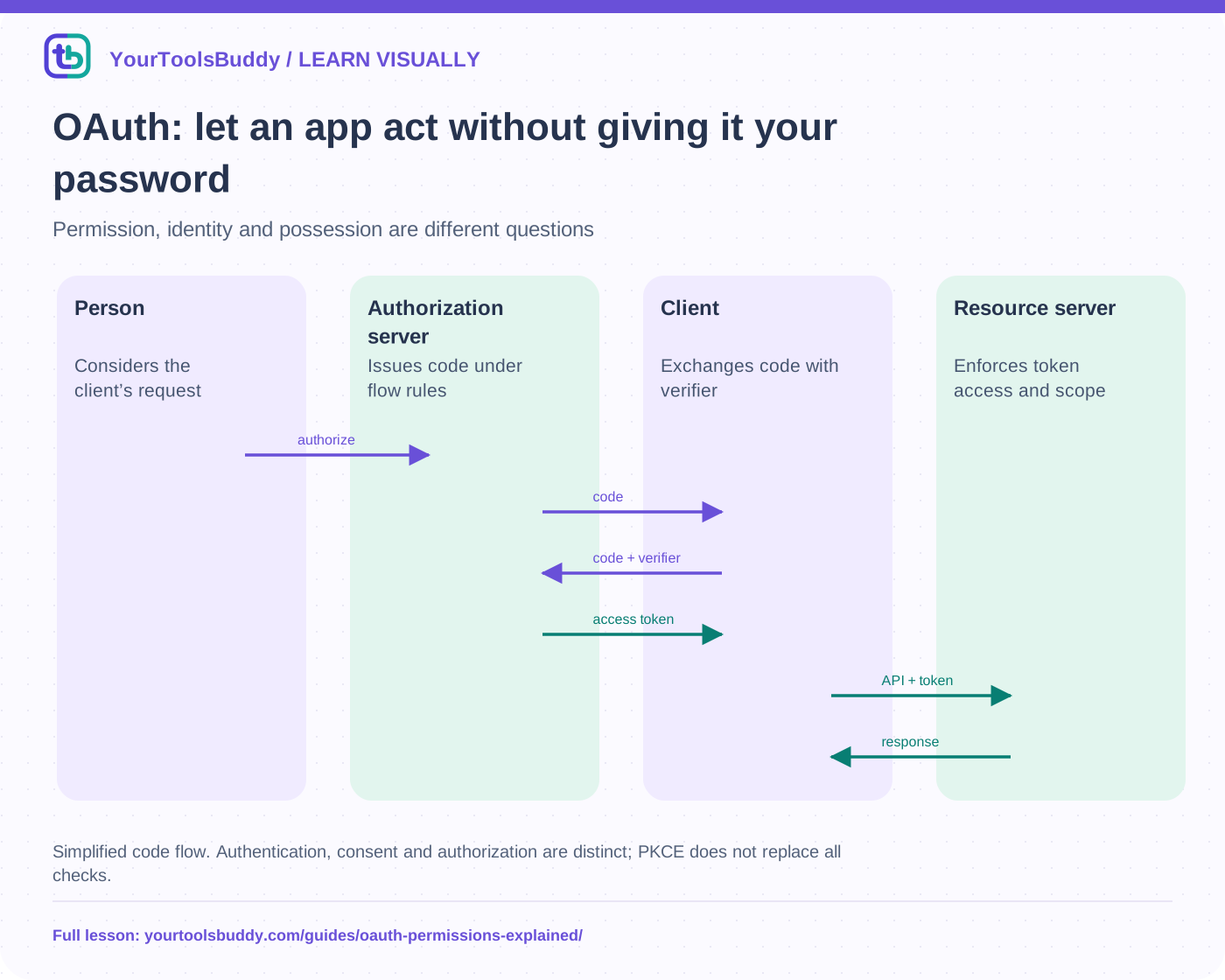
The diagram’s relationships are explained in the readable cards below. Open the full-size SVG to zoom.
Download branded diagram (SVG)Read the diagram
Simplified code flow. Authentication, consent and authorization are distinct; PKCE does not replace all checks.
Person
Considers the client’s request
Authorization server
Issues code under flow rules
Client
Exchanges code with verifier
Resource server
Enforces token access and scope
Identify the parties and the requested permission
The resource owner is the person controlling the calendar in our scenario. The client is the helper requesting access. The authorization server handles the authorization process and issues tokens; the resource server hosts the protected calendar API. One provider can operate both servers, but their roles remain distinct. Naming the parties makes it easier to see which component receives which information.
A scope describes requested access under the provider’s definitions, such as reading certain calendar data. It is not a universal vocabulary shared by every service. Read the actual permission description and question whether it fits the task. A simple reminder helper should not receive broad unrelated access merely because its sign-in button looks familiar.
Follow a simplified authorization-code path
The client directs the user to the authorization server through an appropriate authorization request. After the applicable authentication and authorization steps, the server can return a short-lived code to the registered redirect location. The client exchanges the code through the token endpoint under the flow’s rules. The resulting access token is presented to the resource server, which validates it and enforces the authorized access.
This outline omits mandatory implementation details. Exact redirect handling, request binding, client type and token protection must follow current security guidance. The user should enter provider credentials only through the legitimate provider flow, not into an imitation form embedded by an untrusted app. A correctly implemented protocol cannot make a dishonest client’s requested permission sensible.
PKCE binds the code exchange to its initiating client transaction
PKCE uses a verifier and a derived challenge. With S256, the challenge is a base64url representation of the SHA-256 hash of the verifier, using the specified encoding. The client sends the challenge in the authorization request and later supplies the verifier at token exchange. The server checks that they correspond. Keep the verifier transaction-specific and protected.
Our local fixture computes the published RFC 7636 example challenge from its example verifier, then confirms that a different verifier produces a different challenge. This checks the transformation only. It does not implement an authorization server, a redirect check, CSRF protection or a complete OAuth client. PKCE is not a substitute for every other requirement in the flow.
An access token is not automatically an identity assertion
OAuth is an authorization framework. OpenID Connect adds an identity layer, including rules for ID Tokens. An application should not treat an arbitrary access token as a universal proof of who signed in. Access tokens can be opaque or use a structured format, and their meaning belongs to the intended issuer, resource and protocol.
The calendar API needs to determine whether the presented authorization permits this operation. The helper’s login session is another concern. Mixing them up can accept a token intended for a different purpose or audience. Follow the provider’s documented flow and use maintained libraries rather than composing a login system from a diagram.
Protect the grant after consent
Bearer access tokens can grant access to whoever possesses them under their contract. Keep tokens out of URLs, public logs, screenshots and ordinary lesson examples. Apply the client platform’s appropriate storage and transmission protections. Refresh tokens, when issued, need their own protection and rotation/reuse behavior under current guidance.
Expiry and revocation are different mechanisms. An app should handle denied or expired access without repeatedly asking for broader permissions. Revocation behavior depends on provider and token design; do not promise that disconnecting a client instantly invalidates every possible cached or independently validated token everywhere.
Practice the permission decision
For our fictional helper, compare “read upcoming events” with “edit all calendars and send email.” The second grant does not become reasonable because the flow uses HTTPS or PKCE. Choose only the access required by the task, and stop when the provider or destination does not match the service you intended. No real authorization or account connection occurs in this lesson.
Limits
This is a role-and-boundary explanation, not a production OAuth implementation or a complete threat model. The worked computation proves one PKCE encoding result. Real clients need current OAuth security guidance, provider documentation, tested libraries and careful account/session design.
Work through the checked example
Input
RFC 7636 public example verifier:
dBjftJeZ4CVP-mB92K27uhbUJU1p1r_wW1gFWFOEjXk
Expected result
S256 challenge:
E9Melhoa2OwvFrEMTJguCHaoeK1t8URWbuGJSstw-cM
Different verifier: different challenge
What if it fails?
Only PKCE hashing/encoding checked. No authorization server, redirect, login or token request occurs.
Public RFC 7636 example vector, cited below. Only its local hashing and encoding are checked; no remote connection or real account is used.
References
Sources used to check the explanations and examples are listed below.
- IETF: OAuth 2.0 security best current practice
- OpenID Connect: identity layer and ID Token
- IETF: PKCE S256 example
Found a mistake? Send a correction with this lesson’s title, URL and disputed detail. No login needed.
Continue learning
JWTs: reading a token is not verifying it →
Passkeys explained: sign in without a reusable password →
All visual lessons and practical guides →